Skip to content
fotoklarPassbild · Bewerbungsfoto

TK photo upload for the health insurance card

Create and upload the photo for your TK health insurance card: FotoKlar crops it, replaces the background and checks face, light and pose. General information is on health insurance card photo.

1What do you need?

2Document

3Your photo

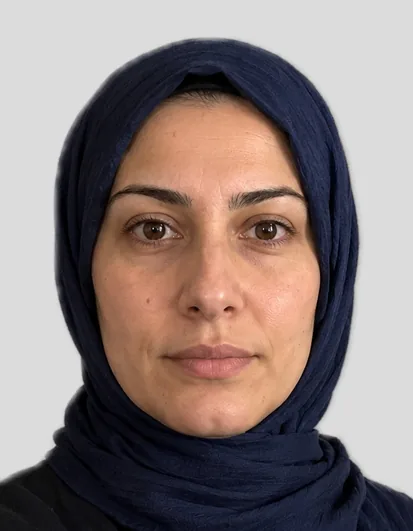
Example: biometric photo 35 × 45 mm

Example with a fictional person

Drop a photo here or – the preview is free.

Electronic health insurance card (Germany)

We check your photo and crop it to 35 × 45 mm.

  • Facing the camera, head straight, mouth closed
  • Even daylight, no shadows
  • Space above the head, shoulders in frame
  • Glasses only without glare

Health insurers do not require a biometric photo, but a frontal, well-lit picture against a neutral background in passport size 35 × 45 mm.

Size
35 × 45 mm
File
827 × 1063 px (600 dpi)
Submission
upload
Source
AOK, Foto für die elektronische Gesundheitskarte

How you get your photo

Preview

Free

Cropped, background replaced and checked – with a watermark.

Biometric photo

€7.99

  • Photo without watermark at your document’s size
  • Digital file for uploads and a 10 × 15 cm print sheet
  • Download for 24 hours, copy by email

100% money back if the office rejects the photo for not meeting the requirements. Terms

  • Payment via Dodo Payments · final price incl. VAT · no subscription
  • Files available for 24 hours, then deleted
  • Questions: support@approvavisa.com

Create the photo in 3 steps

  1. Take a photo with your phone

    Facing the camera, in daylight. We replace the background.

  2. Crop and biometric check

    Head size, eye height, light – with tips if something is off.

  3. Download

    File and 10 × 15 cm print sheet for €7.99.

In short

For the TK health insurance card you need a recent, frontal photo with your face clearly visible against a neutral background. A biometric passport photo is not required. TK sends you a letter with a ten-digit one-time password, which you use to upload your digital photo online; you can also upload it in the password-protected “Meine TK” area.

Last updated: · FotoKlar editorial team

Creating the photo for the TK health card

  1. 1Take a photo in daylight from the front or upload one in the tool above.
  2. 2“Health insurance card” is already selected: we crop, replace the background and check the photo.
  3. 3See the free preview, buy and download the file.

Uploading with the one-time password or in “Meine TK”

TK sends you a letter with a ten-digit one-time password, which you use to upload your digital photo online; you can also upload it in the password-protected “Meine TK” area.

  1. 1Wait for TK’s letter with the one-time password
  2. 2Create the photo at FotoKlar and download the file (JPG)
  3. 3Upload with the one-time password, or sign in to “Meine TK” and upload

Photo requirements

What TK itself says:

  • 35 × 45 mm, digitally 300 × 400 pixels
  • File format jpg, jpeg, bmp or png
  • Colour or black and white
  • Background as neutral as possible
  • Face clearly recognisable, from the front – no tilted or turned head
  • No hat or cap; does not have to be biometric

Photo rejected – what now?

If your photo is rejected, TK usually tells you why. Common reasons are shadows, a busy background, a tilted head or a face that is too small.

  • Take a new photo in daylight from the front, head straight
  • Face large enough in the frame (about 70–80% of the image height)
  • Have the background replaced – FotoKlar does this automatically
  • If the insurer rejects the purchased photo for not meeting its requirements, we refund the €7.99 in full

Sources

Frequently asked questions

Anything else? Write to us at support@approvavisa.com.

How do I upload a photo to TK?

TK sends you a letter with a ten-digit one-time password, which you use to upload your digital photo online; you can also upload it in the password-protected “Meine TK” area.

Does the TK photo have to be biometric?

No, TK does not require a biometric photo. The face must be frontal and clearly recognisable.

Which file format is accepted?

TK accepts jpg, jpeg, bmp and png, digitally at 300 × 400 pixels.

Do children need a photo?

No. Children under 15 receive a card without a photo (§ 291a para. 5 SGB V).

What does the photo cost?

The preview is free; the file costs €7.99 including VAT. Questions: support@approvavisa.com.