
Job application photo online – professional without a studio
1Product
2Your photo


Example with a fictional person
Drop a photo here or – the preview is free.
Job application photo
Your phone photo becomes a portrait with a studio background.
- Camera at eye level, about 1.5 m away
- Face a window, no flash
- Head and shoulders fully in frame
- Dress as for your first day at work
- Formats
- 4:5 · 1:1
- Pixels
- 1200 × 1500 / 1200²
- Background
- 5 studio tones
- Use
- CV, job portals
How you get your photo
Preview
Free
Your portrait with a watermark, background of your choice.
Job application photo
€7.99
- Portrait without watermark with the background you chose
- Portrait 4:5 (1200 × 1500 px) for your CV
- Square 1:1 (1200 × 1200 px) for LinkedIn, Xing and job portals
- Download for 24 hours, copy by email
Money back within 14 days if you don’t like the result. Terms
- Payment via Dodo Payments · final price incl. VAT · no subscription
- Files available for 24 hours, then deleted
- Questions: support@approvavisa.com
Job application photo in 3 steps
Take a photo with your phone
Eye level, facing a window, upper body down to the chest.
Background and crop adjusted automatically
Five studio tones – the preview updates instantly.
Download for CV, online applications and LinkedIn
4:5 and 1:1 without watermark for €7.99.
Examples
From phone photo to portrait

Living room with lamp and shelf.

Light grey background, 4:5 crop.
Example with a fictional person · the after image is real output of our image processing.

Bright living room with shelf and plants.

Studio grey background, 4:5 crop.
Example with a fictional person · the after image is real output of our image processing.
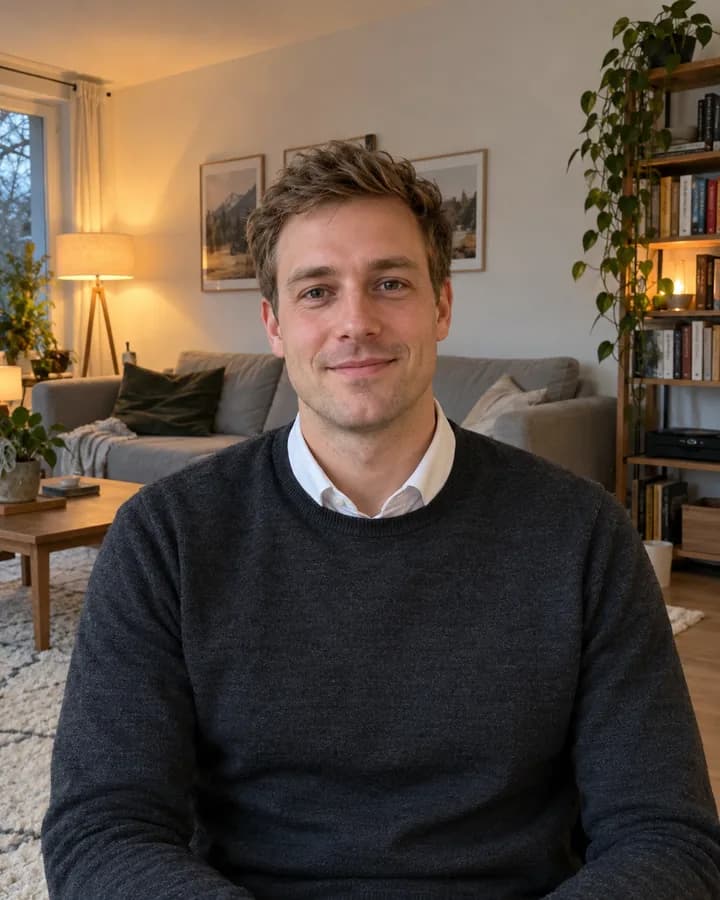
Living room in warm evening light.

Blue grey background, 4:5 crop.
Example with a fictional person · the after image is real output of our image processing.
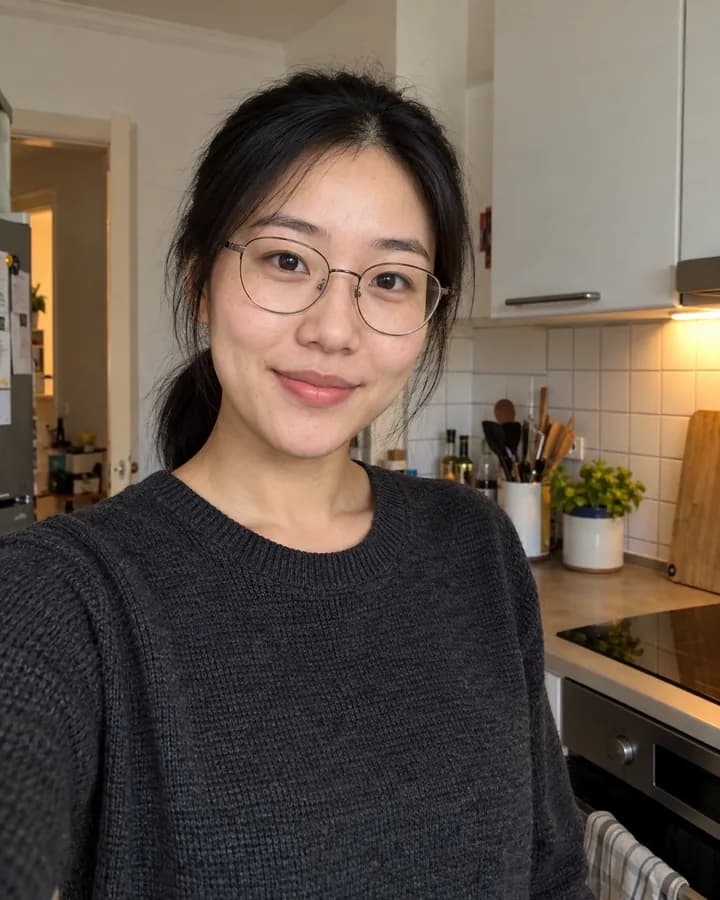
Kitchen with tiles and mixed light.

Blue grey background, 4:5 crop.
Example with a fictional person · the after image is real output of our image processing.
Which background looks most professional?
Light grey
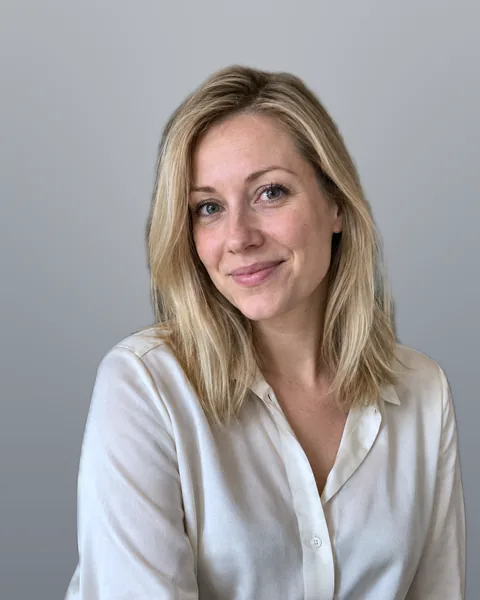
Studio grey
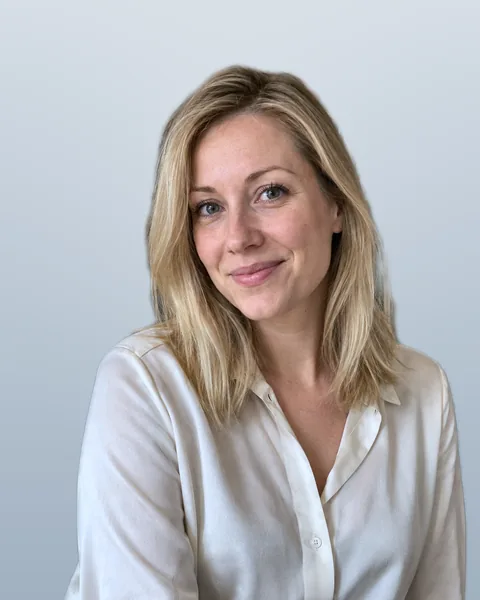
Blue grey

Beige

White
Example with a fictional person · every image is real output of our image processing.
What you get

Portrait 4:5
- 1200 × 1500 px, JPG
- For your CV and application
- Prints sharp up to 4 × 5 cm

Square 1:1
- 1200 × 1200 px, JPG
- For LinkedIn, Xing, job portals
- Head centred, fits profile pictures
How to use the files
In a German CV the photo goes top right next to your contact details, about 4 × 5 cm. Use the square for profiles – many platforms crop it round and the face stays centred.
Taking a job application photo yourself: light, clothes & pose
The right light
- Soft daylight from the front, face the window
- No direct sun, no flash, no ceiling light from above
- A light surface below your face softens shadows
Clothes by industry
- Banking, law, consulting: jacket or blazer
- Creative and tech: a good sweater or shirt
- Plain mid tones – no fine stripes, no big logos
Expression and posture
- A natural smile, mouth closed is fine
- Shoulders slightly angled, head straight, look into the lens
- Camera at eye level, never from below
Job application photo with a phone – does it really work?
Yes – current smartphone cameras have plenty of resolution for a job application photo. Light, distance and perspective matter most. Avoid the front camera at arm’s length (it distorts nose and forehead) and strong beauty filters.
We replace the busy background of your home with a studio background. Head and shoulders just need to be fully in the frame – if the photo is cut off close to the neck, the preview tells you.
Photographer or online – cost compared
A photographer charges for the appointment, studio, selection and professional retouching. Prices vary a lot by package (number of shots, retouching, digital files) – ask for the total price including files.
With FotoKlar the job application photo costs €7.99 including both formats, no appointment. For an elaborately staged portrait with advice a studio is the better choice; for a clean, professional photo from your own picture, FotoKlar is enough.
Job application photo FAQ
Anything else? Write to us at support@approvavisa.com.
Can I take a job application photo with my phone?
Which background is best for a job application photo?
Is a photo required in German job applications?
How much does a job application photo cost at FotoKlar?
What if I don’t like the result?
Will my face be changed?
What size is the photo on a German CV?
May I smile in a job application photo?
Questions before you buy? support@approvavisa.com