Skip to content
fotoklarPassbild · Bewerbungsfoto

Change the passport photo background: white or light grey

Photo taken in front of a bookshelf or a patterned wall? FotoKlar removes the background automatically and replaces it with an even light grey or white, depending on your document – hair edges included.

1What do you need?

2Document

3Your photo

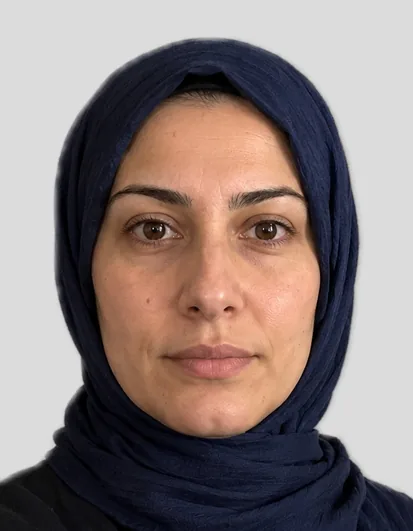
Example: biometric photo 35 × 45 mm

Example with a fictional person

Drop a photo here or – the preview is free.

Driving licence (Germany)

We check your photo and crop it to 35 × 45 mm.

  • Facing the camera, head straight, mouth closed
  • Even daylight, no shadows
  • Space above the head, shoulders in frame
  • Glasses only without glare

Have the photo printed at a photo lab or an instant-print kiosk. Some offices do not accept self-printed photos – if in doubt, ask your driving licence office first.

Size
35 × 45 mm
File
827 × 1063 px (600 dpi)
Submission
printed
Source
Landratsamt Tübingen, Fahrerlaubnisbehörde

How you get your photo

Preview

Free

Cropped, background replaced and checked – with a watermark.

Biometric photo

€7.99

  • Photo without watermark at your document’s size
  • Digital file for uploads and a 10 × 15 cm print sheet
  • Download for 24 hours, copy by email

100% money back if the office rejects the photo for not meeting the requirements. Terms

  • Payment via Dodo Payments · final price incl. VAT · no subscription
  • Files available for 24 hours, then deleted
  • Questions: support@approvavisa.com

Create the photo in 3 steps

  1. Take a photo with your phone

    Facing the camera, in daylight. We replace the background.

  2. Crop and biometric check

    Head size, eye height, light – with tips if something is off.

  3. Download

    File and 10 × 15 cm print sheet for €7.99.

In short

A passport photo needs a plain, light background without patterns or shadows; for German documents a neutral light grey is ideal, while the USA requires white. FotoKlar separates you from the original background and replaces it with the colour your document needs, so you can take the photo at home in front of any wall.

Last updated: · FotoKlar editorial team

Which background colour does a passport photo need?

Plain and light – neutral light grey for German documents, white for US visas and passports.

DocumentBackgroundNote
German driving licencelight grey / plain lightcontrast to face and hair
Health insurance cardneutral, plainnot required to be biometric
US visawhite or off-whiteno shadows
Job application photoyour choicestudio grey, blue-grey, warm or white

How to change the background

  1. 1Upload your photo in the tool above.
  2. 2Choose your document – the right background colour is set automatically.
  3. 3Check the edges around hair and shoulders in the free preview.
  4. 4Download the file for €7.99.

Tips for a clean result

  • Stand about half a metre to a metre in front of the wall – fewer shadows behind you
  • Even light from the front, ideally a window; no flash
  • Hair tied back or behind the shoulders gives clean edges
  • Avoid clothes in the same colour as the new background

Is replacing the background allowed?

Replacing the background is common practice; changing your face is not. FotoKlar only edits the background, crop and brightness, never your facial features.

Authorities check that the photo shows you as you look today. For German ID cards and passports, photos are only accepted digitally from registered providers since May 2025 – see digital passport photo.

Sources

Frequently asked questions

Anything else? Write to us at support@approvavisa.com.

What colour background does a passport photo need?

A plain, light background. Neutral light grey is ideal for German documents; the USA requires white.

Can I take the photo in front of any wall?

Yes. FotoKlar replaces the background automatically. A plain wall still gives the cleanest hair edges.

Is a white background allowed in Germany?

The rules ask for a plain, light background; light grey is recommended because it contrasts better with light hair and skin.

What does it cost?

The preview is free; the files cost €7.99 including VAT.